
Account and billing
Email preferences
Choose optional account, Cloud job, product, and promotional email notifications.
Manage optional emails
Open Settings → Email preferences. Each switch saves the preference for that category.
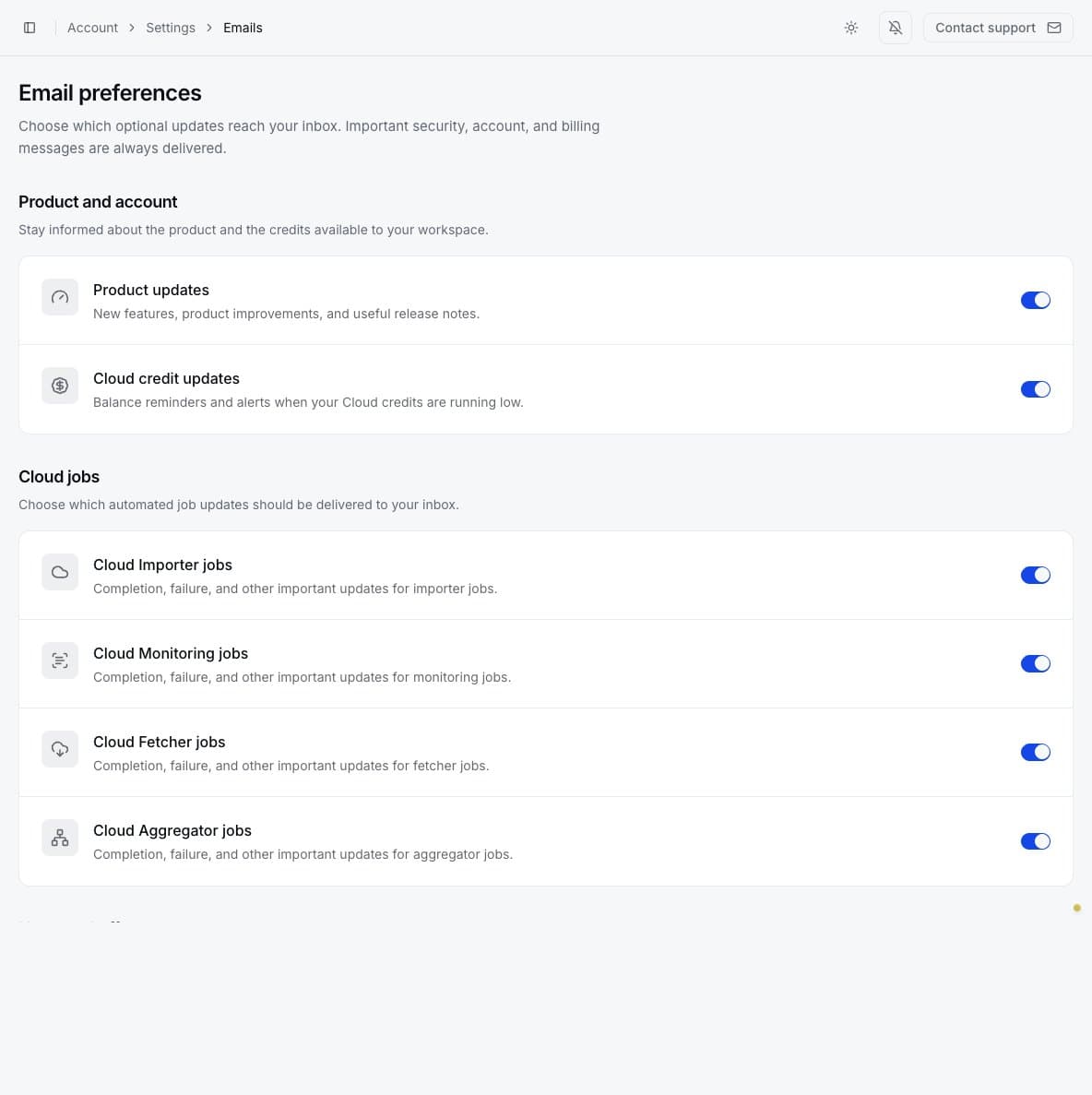
The categories are:
- Product updates: features, improvements, and release notes.
- Weekly usage recaps: properties exported, estimated time saved, Cloud jobs, and credits used. Organization recaps are sent only to the owner and summarize all current members' usage. An owner's switch controls both their personal recap and the organization recap; admins and members can only control their own personal recap. A recap is sent only when the recipient successfully exported at least one property through the extension or a Cloud job during the week. The organization recap follows the same rule across all current members.
- Cloud credit updates: balance reminders and low-credit alerts.
- Cloud Importer jobs: completion, failure, and important Importer updates.
- Cloud Monitoring jobs: Monitoring run updates.
- Cloud Fetcher jobs: Fetcher run updates.
- Cloud Aggregator jobs: Aggregator run updates.
- News and offers: optional announcements and promotions.
Turning off an optional category does not stop a job or change in-app notifications. Essential security, account, and billing messages are always delivered and cannot be disabled here.
Job-specific delivery settings, such as emailing an Aggregator result file, are configured on the job and are separate from these general notification preferences.