
Introduction
Install Zillow Data Exporter, connect your PropertyDataLabs account, and make your first browser export.
What the Extension does
Zillow Data Exporter is the browser Extension made by PropertyDataLabs. It exports Zillow search results and supported property pages into spreadsheet-ready files. The Extension uses the same PropertyDataLabs account and subscription as the web app. Read Zillow Data Exporter and your PropertyDataLabs account if you are unsure how the two names relate.
The Extension has two main interfaces:
- The dock stays visible at the lower-left of supported Zillow pages and contains the immediate Page and All export actions.
- The Settings panel opens from the dock and contains the Dashboard, export configuration, workflow settings, Cloud Importer, Hidden Homes, and service status.
Install and sign in
1. Install the Extension
Install Zillow Data Exporter from the Chrome Web Store, then select Add to Chrome.
2. Pin it to the browser toolbar
Pinning the Extension makes its browser-level controls easier to find. The in-page dock is separate and appears automatically on supported Zillow pages.
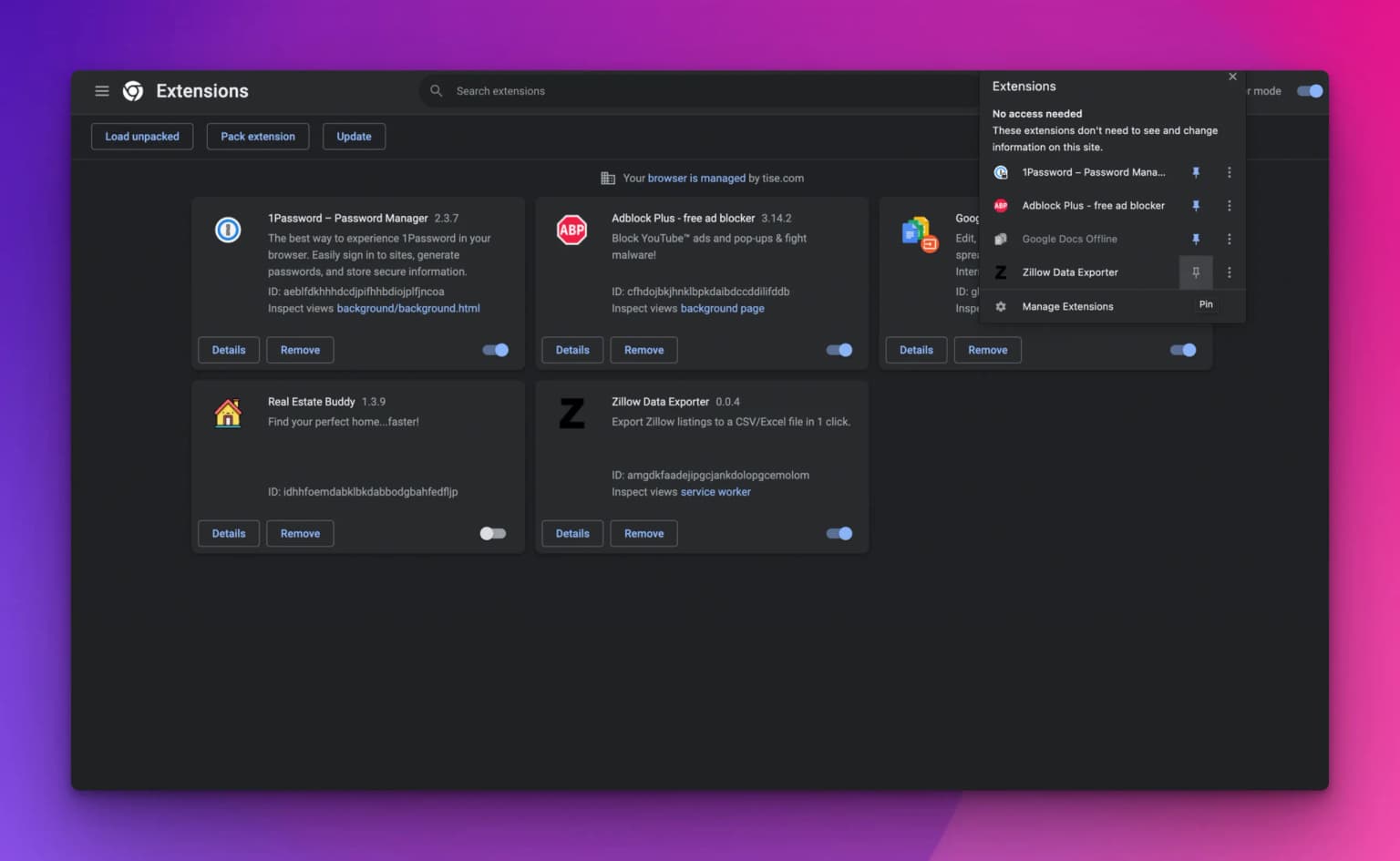
3. Create or reuse your account
You need a free PropertyDataLabs account. If you already use the PropertyDataLabs web app, use that account rather than creating another one.
The Free plan includes 50 single-page CSV exports per month, with up to 40 listings and 10 default fields per export. Basic and higher plans add multi-page exports, configurable fields, and Excel files. See Extension features by plan for the full comparison.
4. Sign in from the dock
- Open a supported Zillow search or property page.
- Find the always-visible dock at the lower-left of the page.
- Select Log in.
- In the sign-in dialog, select Continue via website.
- Sign in to PropertyDataLabs in the new tab if needed, then return to Zillow.
The dock changes from Log in to Settings after the account is connected. Page and All also become available according to the account plan and remaining allowance.
If the dock does not update, select Log in again to refresh the website session.
Make your first export
Continue with Export your first Zillow results page, or review the always-visible dock and Extension features by plan first.