
The always-visible dock
Choose a page export, a multi-page export, or a property preview from the Extension dock on Zillow.
Overview
The dock is the Extension's compact control bar at the lower-left of supported Zillow pages. It stays visible while the larger Settings panel can be opened and closed independently.
Dock controls in 3.0.8
Version 3.0.8 includes Export page, Export pages, and Preview. If those controls are missing, follow the update guide, then refresh your Zillow tabs. The screenshots below show the earlier Page and All labels.
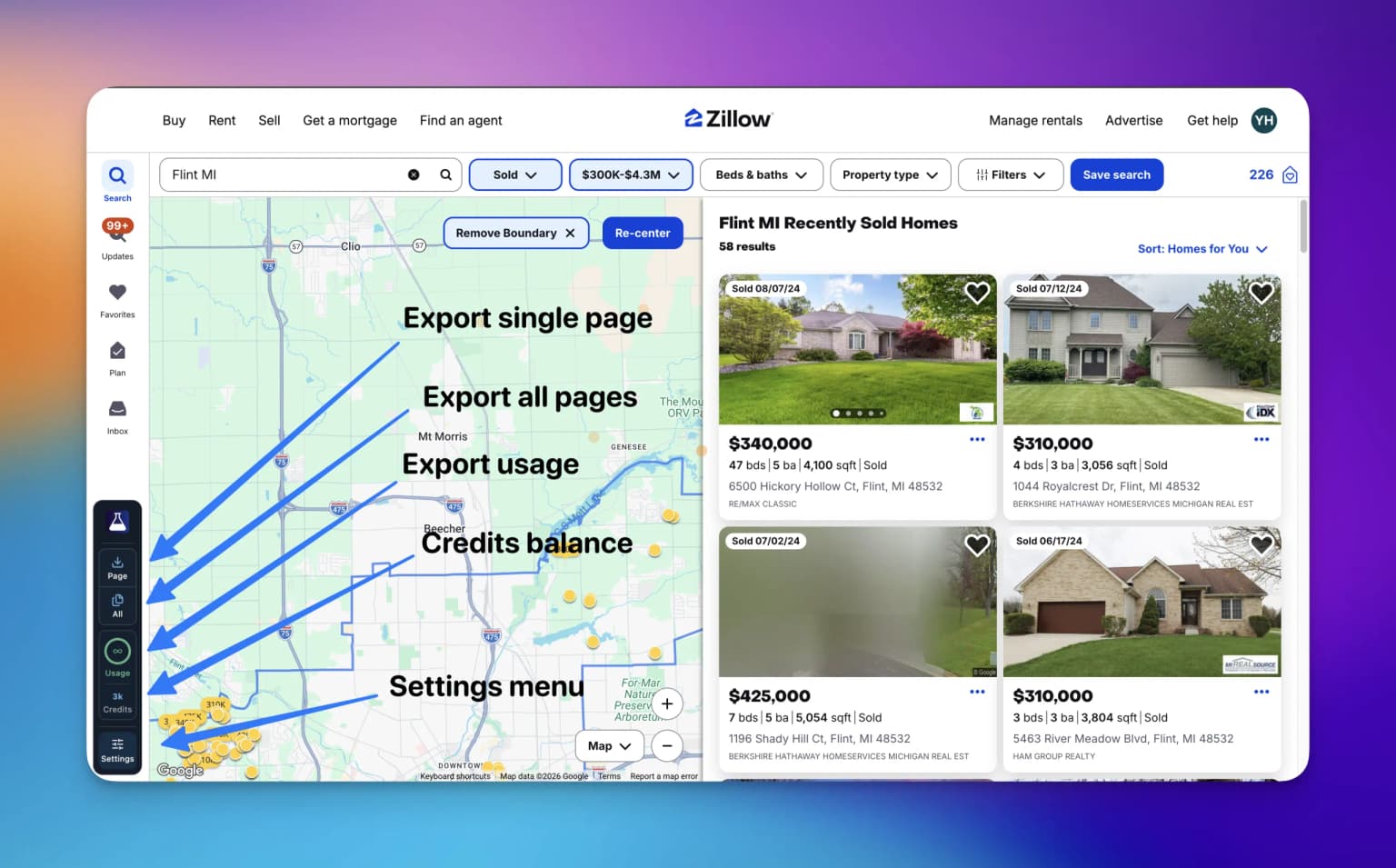
Dock controls
| Control | What it does | Access |
|---|---|---|
| PropertyDataLabs logo | Opens the PropertyDataLabs website in a new tab. | Everyone |
| Export page | Exports listings from the current Zillow results page or Saved Homes page. | Any signed-in plan with allowance remaining |
| Export pages | Combines multiple Zillow results pages into one browser export. | Basic, Solo Lifetime, or higher |
| Preview | Opens Property research to review the current page, choose properties, and export selected rows. | Any signed-in plan |
| Usage | Shows remaining Extension exports for a finite plan, or ∞ for an unlimited plan. | Signed-in accounts |
| Credits | Shows the current Cloud-credit balance. | Signed-in accounts; Cloud actions require a plan with Cloud access |
| Settings | Opens the full Extension Settings panel. | Signed-in accounts |
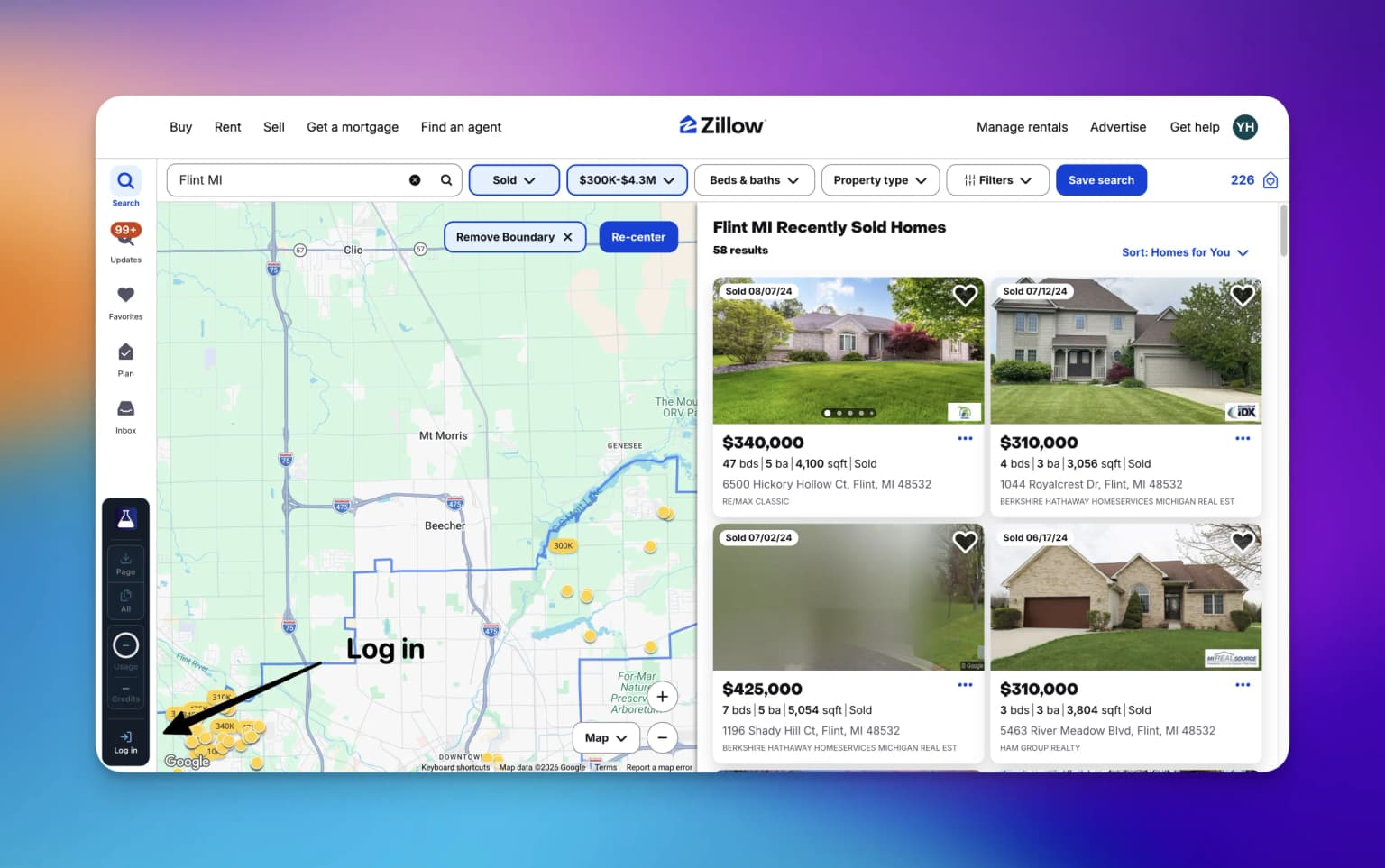
| Log in | Opens the PropertyDataLabs sign-in flow. It replaces Settings while signed out. | Signed-out visitors |
Export page
Export page starts an export of the Zillow results page or Saved Homes page currently open, using your saved fields and output settings. The export starts immediately. A Zillow search-results page normally contains up to 40 listings. One completed page export counts as one Extension export, regardless of the number of listings found.
The action is available on Free, Basic, Pro, and higher plans. Free and Basic accounts must have at least one monthly Extension export remaining.
Export pages
Export pages moves through the available pages in the current Zillow search or Saved Homes and combines the results into one browser export. It is available on Basic and higher plans, including Solo Lifetime.
Zillow search results expose at most 20 pages, normally with up to 40 listings per page. A search export therefore contains up to approximately 800 listings. Saved Homes uses its own pagination. See Export saved properties.
Keep the Zillow tab open
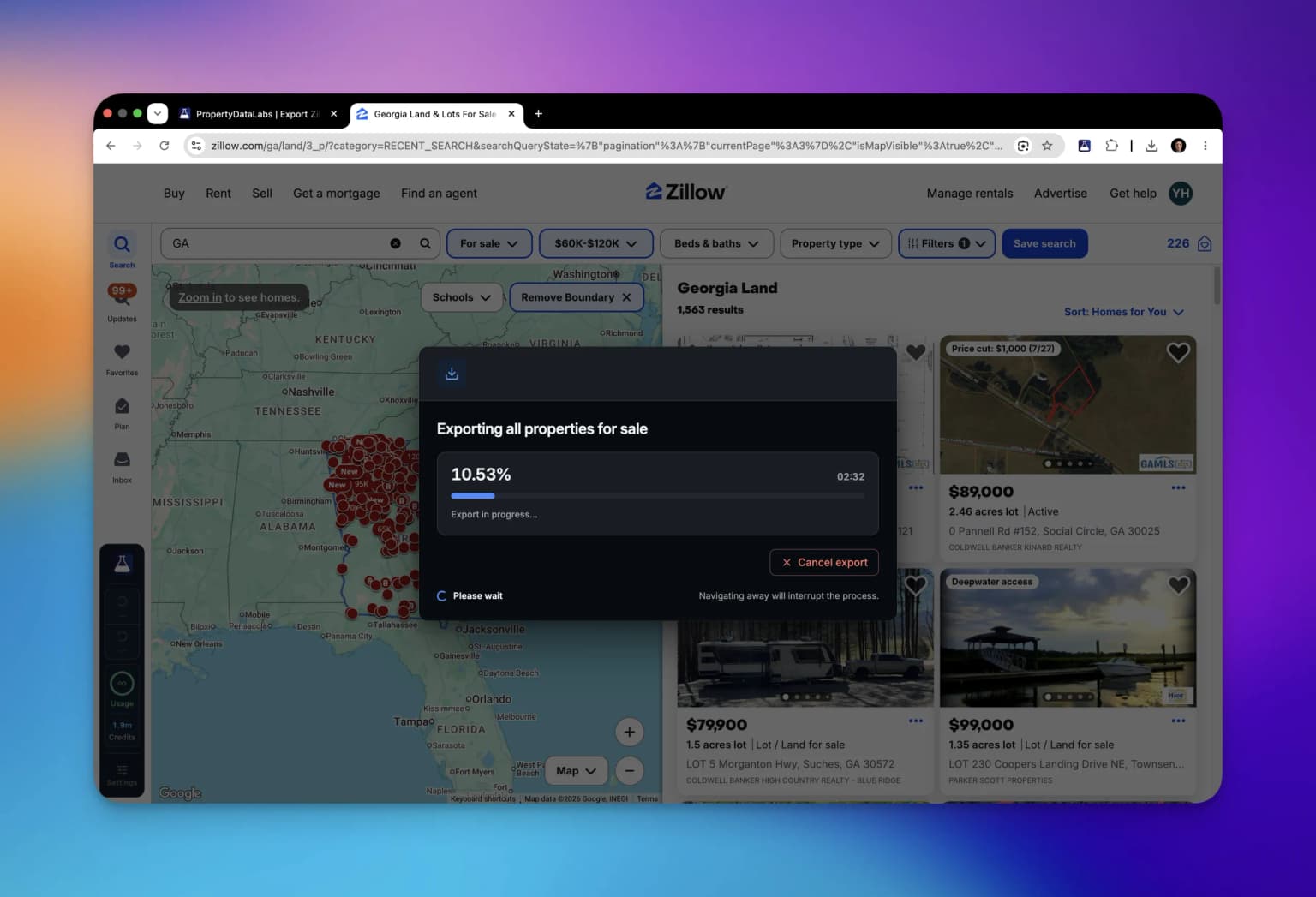
Multi-page export runs in the browser. Keep the Zillow tab open and avoid navigating away until the export completes. Use Cloud Importer when the job must continue after the browser closes.
The starting page and navigation behavior come from Settings → Export workflow → Page navigation.
Preview
Preview opens the same workspace as Settings → Export workflow → Property research. Capture the current sale, rental, sold, or Saved Homes results page, then sort rows, check field coverage, and select the properties to export or copy. Preview does not collect additional result pages automatically and does not capture individual property-detail pages.
Previewing and saving a local shortlist use no exports. Downloading or copying a selection uses one export and follows your plan's allowance and field limits. Selected-row downloads are saved on this computer.
See Preview, shortlists, and property research for saved properties, notes, and selected-row exports.
Usage
The ring shows exports remaining, not exports already used:
- Free: remaining from the 50 monthly Extension exports.
- Basic: remaining from the 300 monthly Extension exports.
- Solo Lifetime, Pro, Ultra, and eligible legacy plans: an infinity symbol because Extension exports are unlimited.
- Signed out: a dash because the Extension cannot load an account allowance.
The color changes as the finite allowance gets lower. The Settings panel provides the detailed used/limit count and reset date.
Credits
Credits shows the current account balance used by Cloud services and advanced property exports:
- Free and Basic include no Cloud credits.
- Pro and higher plans include Cloud access and a plan-specific credit allocation.
- Solo Lifetime includes Cloud access but zero credits. Buy a credit pack before starting a Cloud run.
- Purchased or organization-provided credits are included in the displayed balance.
- A zero balance is crossed out because a credit-consuming action cannot start.
- Signed-out visitors see a dash.
Browser page exports and research selection exports do not consume Cloud credits.
Signed-out state
While signed out:
- Export page, Export pages, and Preview are disabled;
- Usage and Credits show dashes; and
- the bottom action is Log in instead of Settings.
Select Log in, then Continue via website, to connect the PropertyDataLabs session.
During an export
The page export controls show a loading state while an export is active. Settings is temporarily disabled so export options cannot change mid-run. Use the export progress dialog to review or cancel the active export.
See Extension features by plan for the complete access matrix.