
Cloud Fetcher
Fetch Advanced data for a list of Zillow property URLs.
What Fetcher does
Cloud Fetcher processes individual Zillow property URLs and retains Advanced property data. It gives you exact control over the properties in the job, unlike Importer and Aggregator, which discover properties from search results.
Create a Fetcher job
Open Cloud → Fetcher → Create new job.
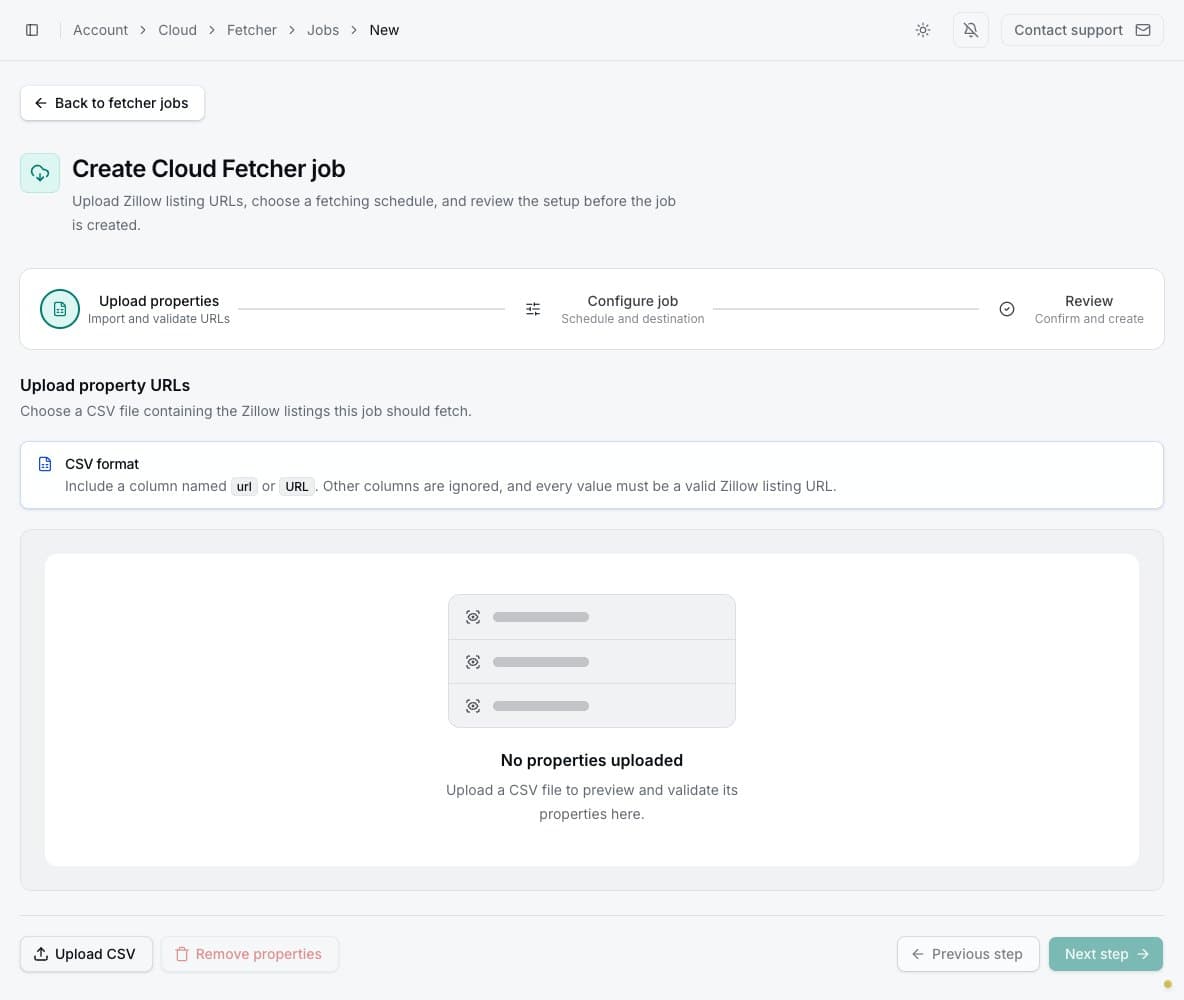
1. Upload property URLs
Prepare a CSV with one column named url or URL. Put one valid Zillow property URL in each row.
Other columns are ignored. Upload the file, inspect the validation preview, and remove or correct
invalid rows before continuing.
If you opened Fetcher from selected listings in extension research, those URLs are already in the preview and the listing type is preselected. Check both before continuing. You can use the prefilled list without a CSV; uploading a new file replaces it. The extension handoff does not create or start the job for you.
The CSV is the job's input format only. Completed Fetcher results can be downloaded as CSV (.csv),
Excel (.xlsx), Parquet (.parquet), or JSON (.json).
2. Configure the job
Enter a name, choose Manual or an available recurring frequency, and select the property listing type. Optionally enable Google Sheets and choose whether each run creates a new spreadsheet or adds a tab to a linked spreadsheet.
Fetcher uses Advanced property-page processing. Budget one Cloud credit for each primary property processed in a run. Rental units contained within a primary building listing do not consume extra credits. See Basic vs Advanced exports and Cloud run costs for details.
Failed listing retrievals do not use credits
A Fetcher property uses one credit only when PropertyDataLabs successfully retrieves its data. If the listing cannot be retrieved, it uses zero credits. A successfully retrieved property can still contain empty fields when Zillow does not provide those values.
3. Review and create
Confirm the valid property count, listing type, schedule, delivery destination, and credit balance. Creating the job does not start it.
Wait for the property list to finish preparing, then select Start job, or wait for its next scheduled run.
Manage the property list
The job page lists Active and Archived properties. Search by address, filter by status, and use a row menu to view, edit, archive, or delete a property. The job menu controls its name, schedule, delivery, archive state, and deletion.
Update Google Sheets fields controls the columns and order used for future spreadsheet uploads. Changing these fields does not remove data from retained web results.
Review results and insights
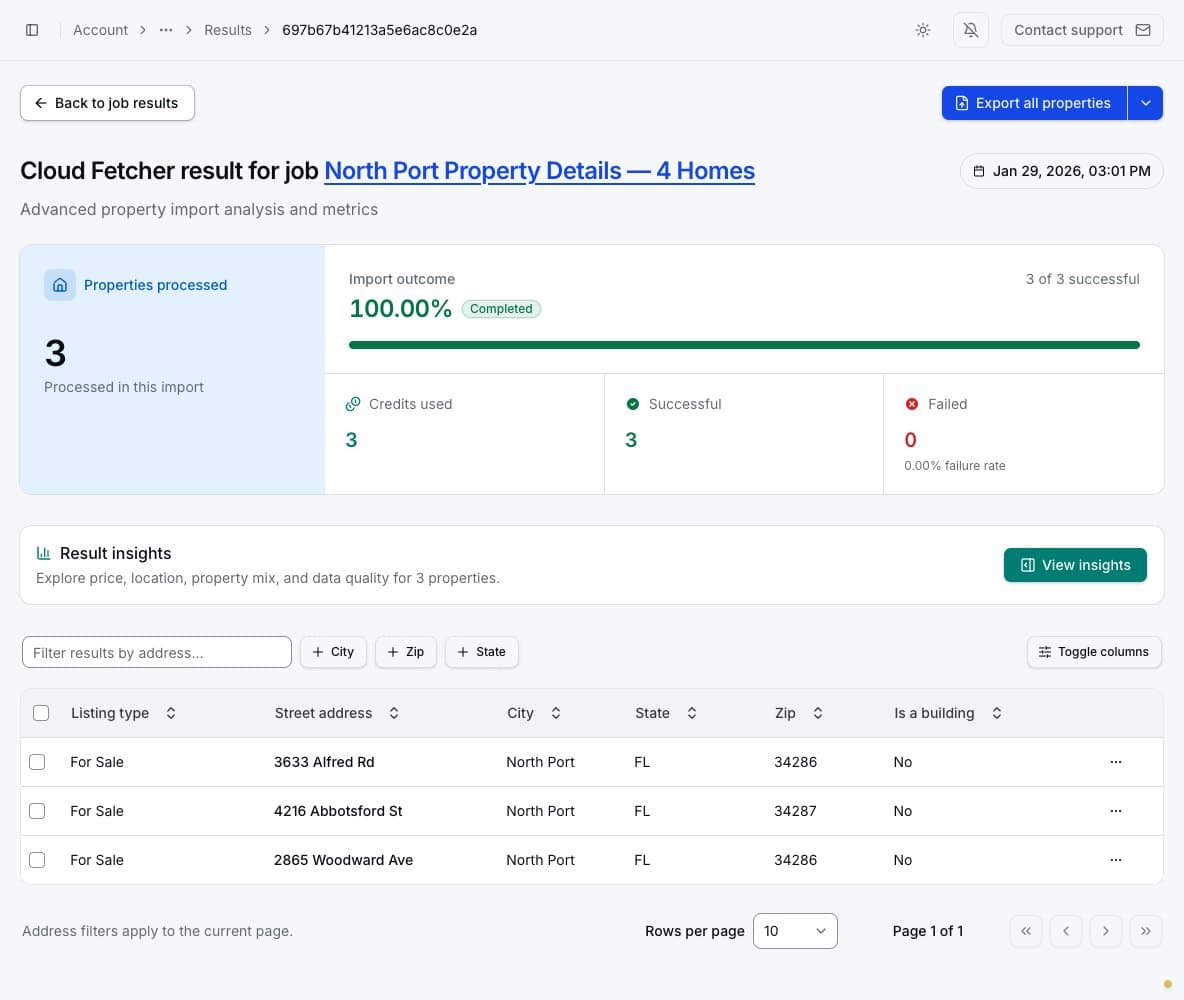
A result shows processed, successful, and failed properties plus credits used. Search and filter the table, open a property record, or export selected/all properties to CSV, Excel, Parquet, or JSON. Fetcher property pages can contain detailed pricing, physical characteristics, media, listing descriptions, and contact or ownership fields when they were provided by the source.
Generated insights summarize median price, typical price range, leading cities and ZIP codes, property types, bedroom distribution, and field completeness. They are calculated from retained records and do not fetch fresh Zillow data.
Large exports appear under Cloud → Fetcher → Background exports and remain available for 24 hours after they are created.