Zillow Data Exporter

Export Zillow data where you already work.

Export listings from any Zillow results page to CSV or Excel. Choose your fields, reorder columns, and remove duplicates before downloading.

8,091 extension installsFree plan available
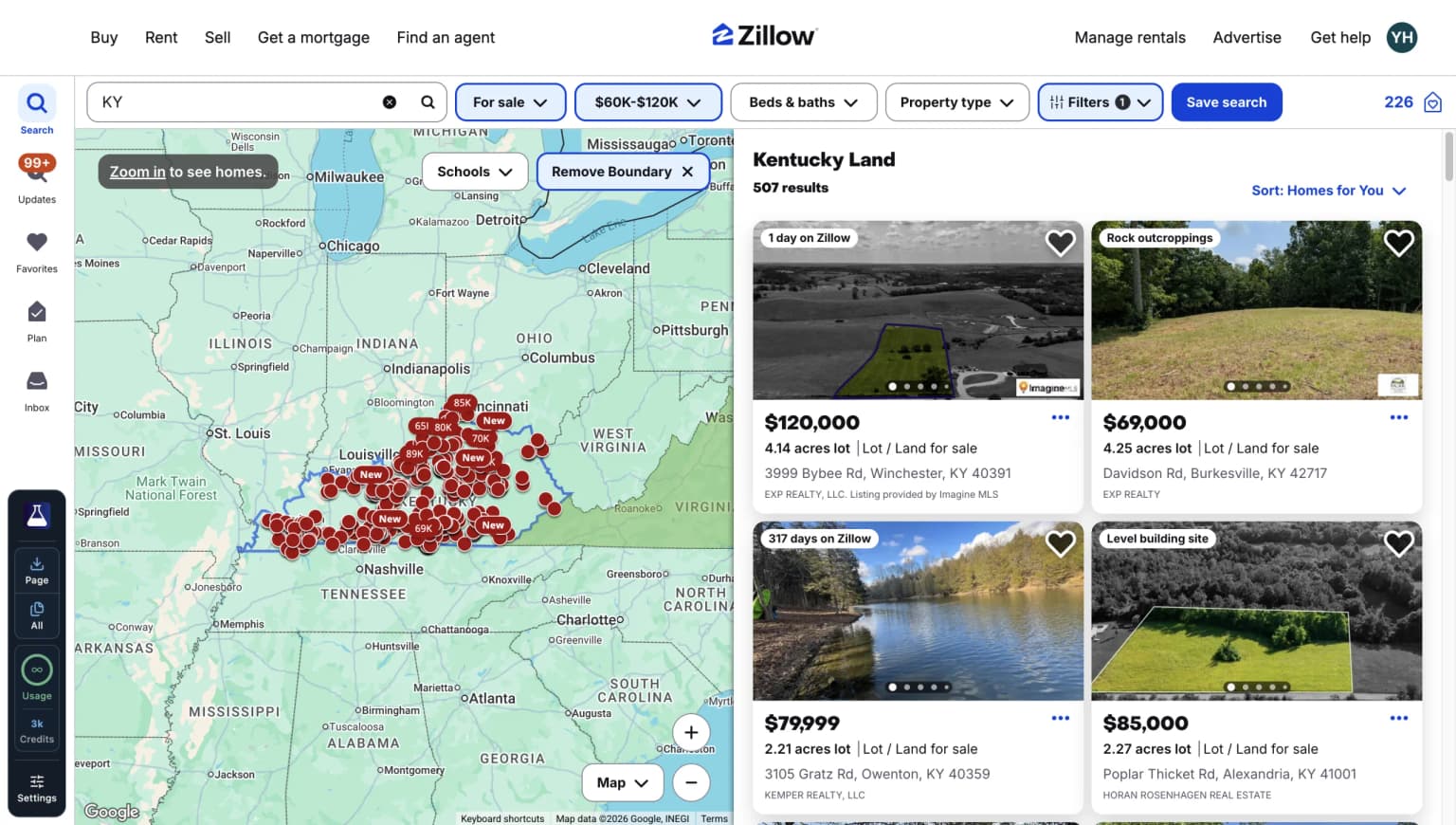
PropertyDataLabs extension exporting listings from a Zillow property search

Export the Zillow search you already built.

Keep your location, filters, and result set. PropertyDataLabs turns them into a structured file.

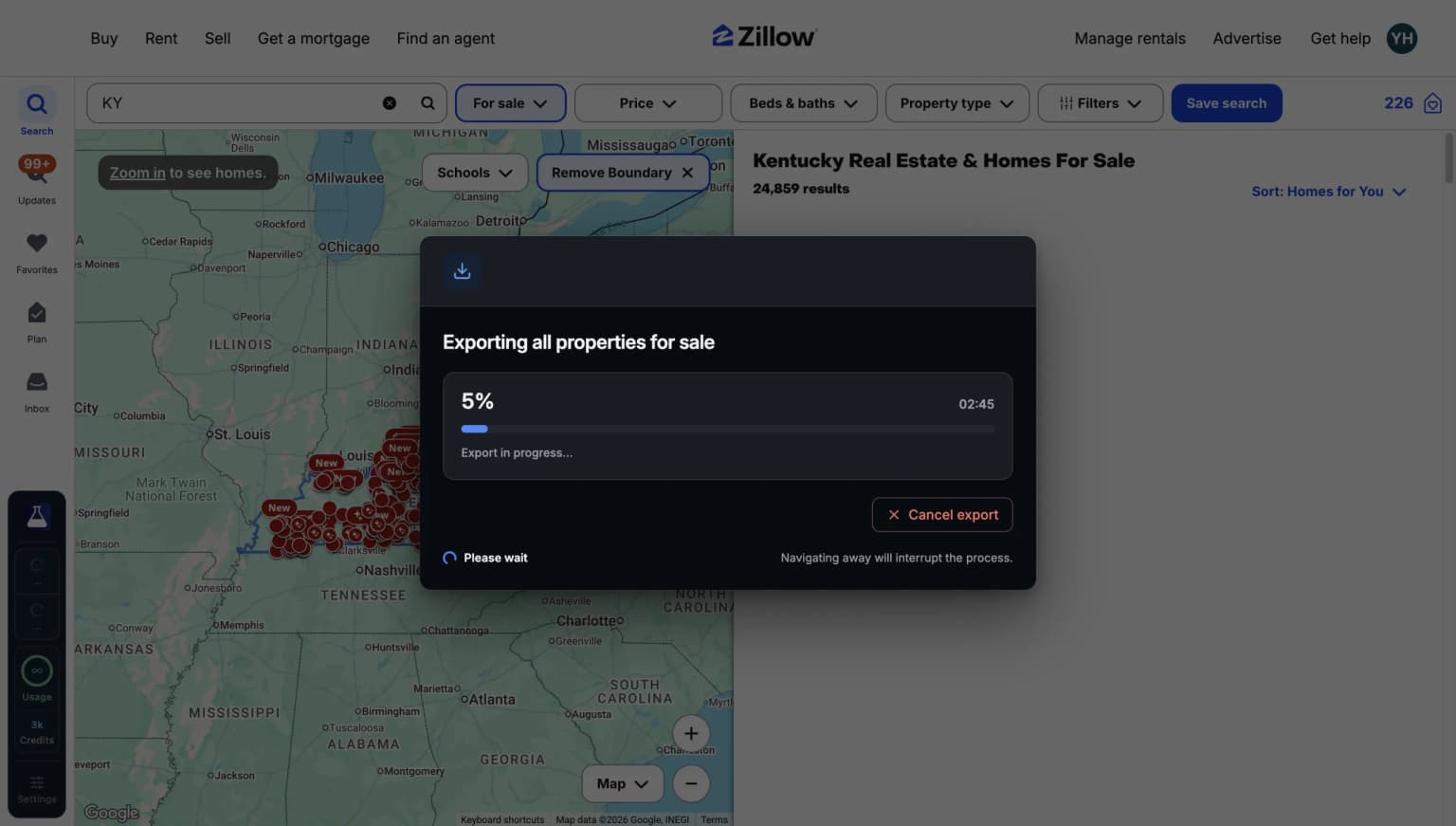
PropertyDataLabs extension controls inside a Zillow search
PropertyDataLabs export controls open above a Zillow property results page

Go from Zillow to spreadsheet without breaking a sweat.

Browse normally. When a search is worth keeping, choose the fields and export it from the page you are already reviewing.

  • Choose the exact property fields you need
  • Export one page or every listing in the search
  • Remove empty columns and duplicate listings
  • Download clean CSV or Excel files
Add to Chrome
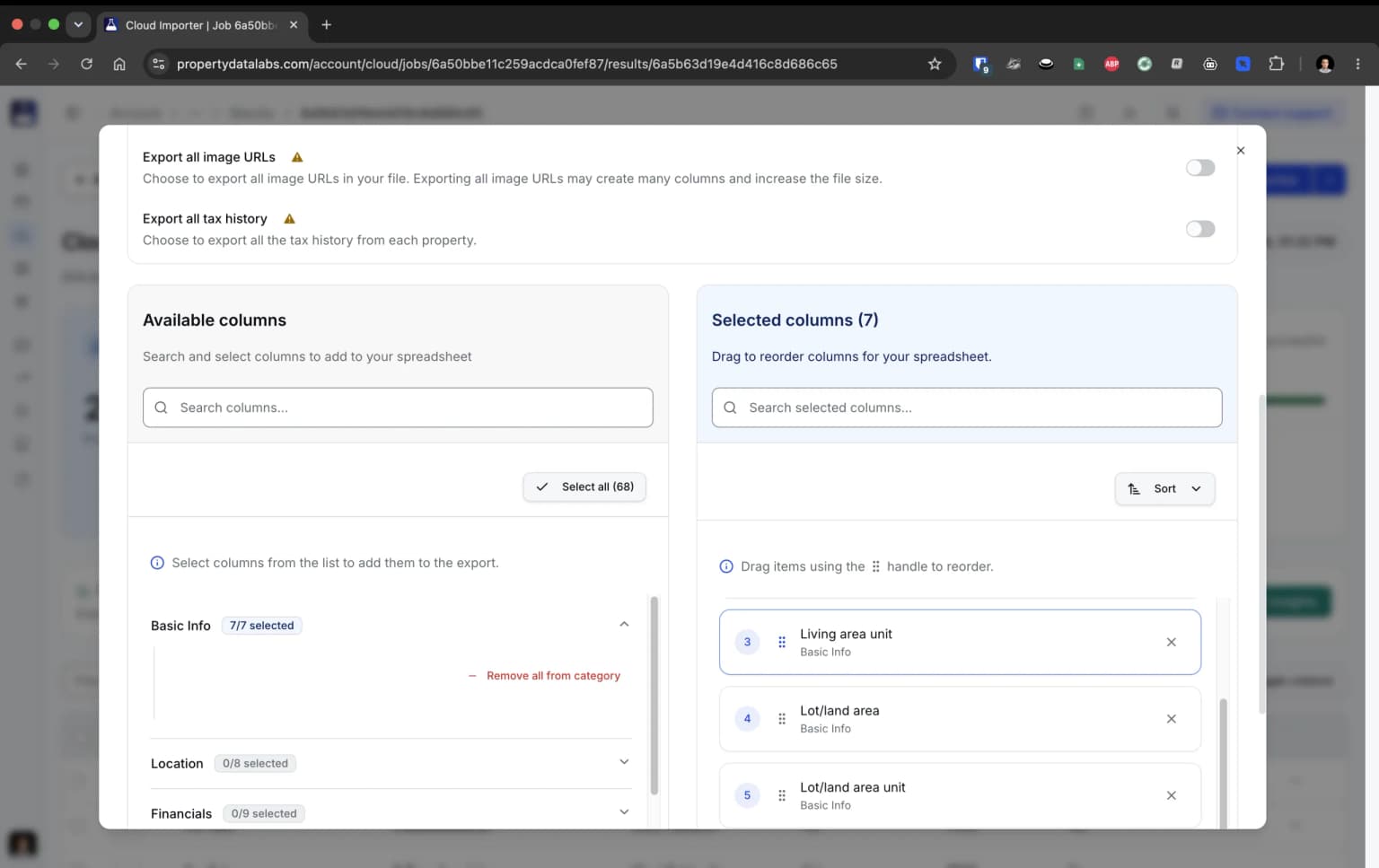
PropertyDataLabs export customization interface

Customize the file before you download it.

Keep only the listing data your workflow needs. PropertyDataLabs prepares a cleaner file before you open Excel or Google Sheets.

  • Remove empty columns automatically
  • Drag fields into the order your analysis needs
  • Filter duplicate listings before download
Add to Chrome
GG
Garrett GundersonUserSupport for advanced export workflows

“The product works perfectly for my needs, and Yann the owner helped me with fantastic support and service answering some more advanced level use cases I am implementing. If you need efficient Zillow data, Zillow Data Exporter is the way to go, strongly recommend it!”

View on the Chrome Web Store

One search. Two very different ways to build a dataset.

Manual entry repeats the same work across every listing. PropertyDataLabs turns the search you already built into a structured file.

Manual data entry

A new task for every listing

The slow loop
  1. Open each listingReview the page and decide which values need to be captured.
  2. Copy fields individuallyMove prices, addresses, property details, and links into separate columns.
  3. Keep the sheet consistentCorrect column placement, missing values, and duplicate listings as you go.
  4. Repeat on the next searchStart the same routine again whenever the result set changes.

The work restarts when the search changes.

With PropertyDataLabs

One repeatable export workflow

The better flow
  1. 01
    Open the Zillow searchKeep the location, filters, and result set you already selected.
  2. 02
    Choose the export fieldsSelect the property data needed for this particular dataset.
  3. 03
    Set the file optionsChoose CSV or Excel and enable duplicate removal when you need it.
  4. 04
    Export the configured filePress export and download the file with the fields and settings you selected.

The same workflow, search after search.

See the extension

What could you save by skipping manual data entry?

Adjust the numbers to match your workflow. We will turn the time you could reclaim into a clear annual estimate.

Start with your workday.

These defaults assume 30 minutes saved each day.

Your assumptions
Value of one hour$50 / hour
$25$200
Time reclaimed per workday30 minutes
15 minutes2 hours
Basic plan billing

Based on five workdays per week and 52 weeks per year. This is an estimate, not a guarantee of savings.

Your annual estimate

Saving 30 minutes a day gives you about 130 hours back each year.

130 hours × $50
$6,500
Basic plan for one year
−$156
Estimated net value
$6,344

That is roughly 41.7× the annual plan cost, before accounting for cleaner data or faster follow-up.

Compare plans

Start free. Upgrade when you need more.

Use the extension at no cost, then choose a subscription or pay once for unlimited browser exports when your workflow needs more.

Start free, pay once, or subscribe.

Free
Try the browser workflow with simple CSV exports.
$0forever

Free forever · no card required

What's included:

  • 1 user
  • 50 exports per month
  • Download up to 40 Zillow listings in a single export
  • Up to 10 fields per listing (price, beds, baths, square footage, and more)
  • CSV downloads directly from Zillow search results
  • Runs entirely in your browser. No setup required
Pay once. Keep the extension.
Solo Lifetime
Pay once
Unlimited browser exports, paid once. No renewals.
Loading Solo Lifetime price

What's included:

  • Unlimited extension exports
  • Current personal Pro web features
  • Every future extension update
  • Cloud tools with separately purchased credits
  • Standard email support
  • 1 user · 1 account email · non-transferable

0 Cloud credits included. Cloud credits are sold separately.

Basic
More listings and fields, with CSV and Excel exports.
$0/ month

Billed monthly

What's included:

  • 300 exports per month, 6x more than Free
  • Download up to 800 Zillow listings in a single export
  • Up to 40 fields per listing
  • CSV and Excel (.xlsx) downloads

Put recurring research on Pro.

Schedule jobs, monitor listings, and send results to Google Sheets. Pro combines unlimited browser exports with Cloud credits: 3,000 each month.

Prefer to pay once? Solo Lifetime includes Cloud access, with credits purchased separately.

Pro
Unlimited browser exports, Cloud credits, and priority email support.
$0/ month

Billed monthly

What's included:

  • Unlimited extension exports. Never hit a monthly cap

Every paid option includes a 7-day refund window. Subscriptions can be changed or cancelled; Solo Lifetime never renews.

Compare every feature

Straight answers before you get started.

Product behavior, billing, data availability, and support. If your question is not covered, contact the support team.

Turn your next Zillow search into a clean spreadsheet.

Choose the fields you need, select CSV or Excel, and export the file without copying listings one by one.

Add to Chrome

Free to start. Export your first search in minutes.